Why CRM Export Features Fall Short — And What to Do About It
Your CRM has all the data you need. It's right there on screen — contacts, deals, activities, all neatly organized in list views. But the moment you try to get that data out, things get frustrating.
The 5 common export problems
1. Row limits that don't match your data
You have 3,000 contacts. The platform's export caps at 500. So you export 6 times with different filters, then merge the files manually, then deduplicate. What should take 30 seconds takes an hour.
2. Missing or extra fields
The list view shows exactly the 8 columns you need. The export gives you 47 columns, half of which are internal IDs and system fields. Or worse — it omits calculated fields that only show in the UI.
3. Dirty data formatting
Phone numbers with inconsistent formatting. Dates that look fine on screen but export as cryptic timestamps. Currency values with the symbol baked into the string. Every export needs 20 minutes of cleanup in Excel.
4. The export queue
Some platforms don't export instantly. They queue your request and email you a link "when ready." For large datasets, "when ready" can mean 30 minutes to several hours. And if the export fails, you start over.
5. Limited format options
You need the data in Excel with clean columns. The platform gives you a CSV with 47 fields, half of which are internal IDs. Or it only exports in a proprietary format that requires additional conversion before you can use it.
A familiar scenario
You spend Monday morning trying to export last week's deals from your CRM. By the time you've worked around the export limits, cleaned the data, and merged the files, it's lunchtime — and you haven't started the actual analysis.
Why CRM vendors restrict exports
This isn't accidental. CRM platforms have business reasons for limiting exports:
- Lock-in — Making it hard to export data makes it harder to switch to a competitor. Your data becomes a moat.
- Upselling — Export features are often gated behind higher-tier plans. The free or basic plan gets you in, and the export limits push you to upgrade.
- Server load — Large exports are computationally expensive. Rate limiting protects the platform's infrastructure. This is the most legitimate reason.
- Data governance — In regulated industries, controlling data flow is a compliance requirement. But in practice, the restrictions are often more aggressive than compliance requires.
Understanding these motivations helps you evaluate solutions. The goal is to get data you're already looking at into a format you can actually work with.
The hidden cost of bad exports
Most organizations underestimate how much time their teams spend working around export limitations. Consider a sales ops team of 5 people:
- Each person exports CRM data 3 times per week
- Each export cycle (export + clean + merge) takes 30 minutes
- That's 7.5 hours per week across the team — almost an entire workday
- At $50/hour fully loaded, that's $375/week or $19,500/year
And this doesn't account for the errors introduced by manual data handling, the frustration cost, or the analyses that simply don't get done because the data extraction is too tedious.
Practical solutions
For occasional exports: browser extension
If you need to export data 1–5 times per week, a browser extension is the most practical solution. You see the data in your browser → you export it. No API, no coding, no complex setup.
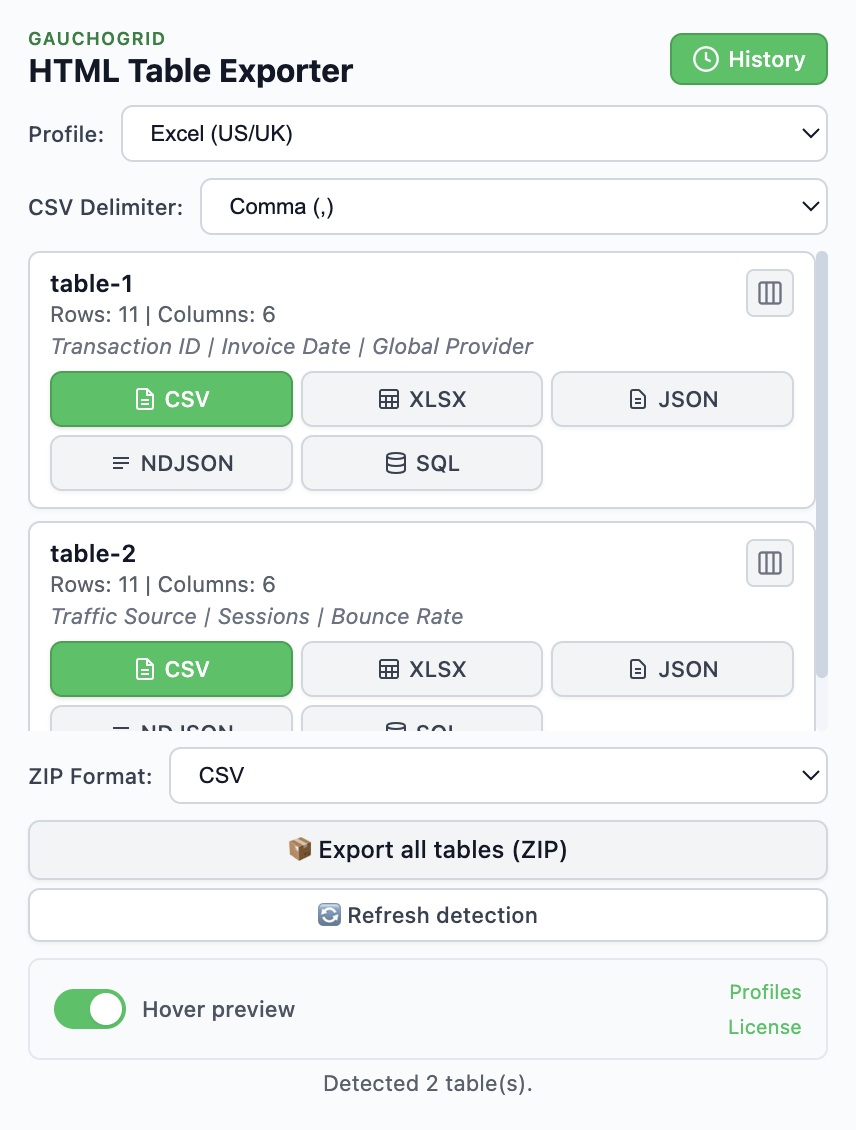
HTML Table Exporter detects tables in CRM list views and exports them to Excel, CSV, JSON, NDJSON, or SQL. Its Scroll Capture feature captures all rows — even across multiple pages — with one click. All processing happens locally in your browser.
Export what you see on screen — no API needed, no complex setup
For automated pipelines: API integration
If you need automated, recurring exports (daily syncs, real-time updates), investing in an API integration makes sense. This requires development resources but gives you the most control.
For one-off large exports: platform reports
If your CRM has a report builder with larger export limits than list views, use it for one-time bulk exports. The data may need more cleanup, but you avoid the pagination problem entirely.
The best approach: combine them
In practice, most teams use a combination. A browser extension for quick, clean exports during the workday. API integrations for automated pipelines. And the platform's native reports for rare bulk exports.
The key insight is that you shouldn't be spending human hours on mechanical data extraction. If you can see the data on screen, getting it into a spreadsheet should be a 30-second task — not a 30-minute one.
Stop fighting your CRM's export limits
Export any CRM list view to Excel in seconds. Scroll Capture handles pagination. Data cleaning is automatic.
Free tier available · PRO unlocks Scroll Capture · 14-day money-back